

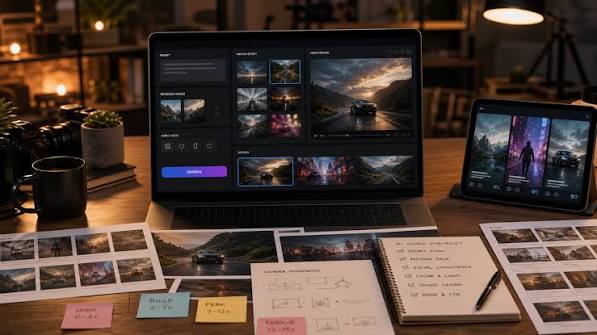
TL;DR: Higgsfield AI can help creators turn images and ideas into cinematic video, but generating individual clips is only one part of the process. The real challenge is maintaining visual consistency, controlling motion, and producing footage that works together as a finished story. A simple shot-planning workflow can improve results while reducing unnecessary generations.
The Problem With Making AI Videos One Clip at a Time
AI video tools have made it easier to experiment with cinematic visuals without a camera crew, professional equipment, or a physical location. A creator can describe a scene, provide a reference image, and generate footage that would previously have required substantial production work.
Higgsfield AI is part of this shift. Its creative platform offers AI-powered image and video generation, camera controls, visual effects, and workflows for developing cinematic content. Its Cinema Studio tools, for example, provide controls that can help creators shape how a scene is presented. Explore Higgsfield’s Cinema Studio guide.
But there is a difference between generating one attractive clip and producing a complete video.
Imagine creating a 20-second promotional video for a pair of sneakers. The opening shot looks cinematic, the close-up is visually appealing, and the final shot has dramatic lighting. Yet when the clips are assembled, the shoe changes shape, the colors vary, and the camera movements feel unrelated.
Each generation may look good on its own, but the overall video lacks continuity.
This is one of the most important challenges to understand when working with AI video: the goal is not to create the best individual shots. It is to create shots that belong in the same project.
Start With a Shot Plan, Not a Prompt
A common approach to AI video creation is to write a prompt, generate a clip, adjust the wording, and repeat until something looks right. This can work for experimentation, but it becomes inefficient when a project needs several connected scenes.
A better approach is to plan the video before generating it.
Start by defining three things:
- The subject: What must remain recognizable throughout the video?
- The action: What should happen during each shot?
- The visual direction: What lighting, atmosphere, framing, and movement should connect the scenes?
Consider a short advertisement for a skincare product. Instead of asking an AI tool to create an entire commercial in one attempt, divide the concept into manageable shots.
| Shot | Purpose | Visual direction |
| 1. Introduction | Establish the mood | Product on a clean surface with soft morning light |
| 2. Detail | Highlight the packaging | Slow camera movement toward the product label |
| 3. Atmosphere | Create an emotional connection | Water droplets and reflections around the product |
| 4. Closing | Leave a memorable impression | Centered product shot with space for a headline |
This simple plan gives every clip a purpose. It also makes problems easier to diagnose: if the product label becomes distorted, you know which shot needs attention instead of regenerating the entire advertisement.
For a story-driven video, the same method works with characters, locations, and actions. Each shot should advance the story or communicate something the audience needs to see.
The Reference Image Is More Than Inspiration
When a video needs to feature a specific person, product, outfit, or environment, a text description may not be enough to preserve the details.
A prompt can describe a red jacket, for example, but the generated jacket may differ in cut, material, or shade between scenes. The same issue can affect a character’s face, hairstyle, accessories, or proportions.
Reference images can help anchor the generation to a defined visual target.
Before starting, choose a clear reference that shows the details that matter most. For a product, this might mean a clean image with the packaging and proportions visible. For a character, it might mean a well-lit portrait with an unobstructed face.
Then decide which elements must remain unchanged and which can vary.
For a fashion campaign, the model’s identity and the garment may need to remain consistent, while the location and camera angle can change. For a product advertisement, the product shape and label may be fixed, while lighting and background are more flexible.
This distinction is important because asking the model to preserve everything while changing everything else creates a difficult generation task.
Higgsfield’s broader creative workflows include tools for working with reusable assets and consistent characters. The exact controls available depend on the selected feature and model, so check the current interface before building a workflow around a particular option.
How to Describe Camera Movement More Effectively
Words such as cinematic, dramatic, and professional can help establish a mood, but they do not necessarily communicate a precise shot.
A more useful description separates the subject’s action from the camera’s movement.
For example, instead of writing:
“A beautiful cinematic shot of a woman walking through a modern city.”
Try specifying the scene more clearly:
“A woman in a tailored beige coat walks slowly along a modern city street. The camera tracks beside her at walking speed, maintaining a medium shot. Soft overcast daylight, natural movement, restrained editorial color grading, realistic fabric motion.”
The second prompt gives the model more information about what should happen, how the camera should behave, and what the final image should feel like.
It is still not a guarantee of the intended result. AI models interpret instructions differently, and complex movement can produce unexpected artifacts. However, a clear shot description gives you a more useful starting point for evaluation.
When using a platform with dedicated camera controls, use those controls for the movements they support rather than relying entirely on descriptive text. Higgsfield’s Cinema Studio documentation explains its available modes and camera-oriented workflow.
A useful rule is to give each shot one main camera movement and one primary subject action. If the camera orbits, zooms, tilts, and tracks simultaneously while the subject performs several actions, it becomes harder to predict which part of the prompt caused an unwanted result.
Why AI Video Credits Disappear So Quickly
A project can become expensive even when the subscription initially appears affordable. The reason is that the number of generations is not the same as the number of usable clips.
Suppose a finished video needs six shots. If each shot takes three attempts to reach an acceptable result, the project requires 18 generations rather than six.
That is why it helps to estimate the cost of a finished video, not simply the cost of a single generation.
Higgsfield discusses this distinction in its own guide to AI video credit consumption. The practical lesson is straightforward: reducing unnecessary attempts can matter as much as choosing an appropriate plan.
Use this workflow to manage your generation budget:
- Test the concept with still images. Resolve composition, styling, and general visual direction before paying to animate every idea.
- Generate a short motion test. Check whether the subject and camera behave as intended.
- Refine the shot brief before retrying. Identify the actual problem instead of making random prompt changes.
- Use an appropriate model for each stage. A lower-cost option may be sufficient for early exploration, while a more capable model may be justified for the final shot.
- Reserve budget for difficult scenes. Faces, complex interactions, intricate products, and fast movement may require additional iterations.
For example, if the camera movement is correct but the product changes shape, rewriting the entire prompt may not help. The issue may be the reference image, the model’s handling of the object, or the complexity of the requested motion.
Change the part most likely to be responsible for the problem, then evaluate the result.
A Simple Troubleshooting Guide for Common AI Video Problems
When a generation looks wrong, it is tempting to assume that the model needs a better prompt. In practice, different visual problems often require different solutions.
| Problem | What to try |
| A character’s face changes between shots | Strengthen the reference workflow and reduce unnecessary changes to appearance |
| A product becomes distorted during movement | Use a clearer product reference and simplify the camera movement |
| Motion looks unnatural | Reduce the number of simultaneous actions and test a shorter sequence |
| Lighting changes unexpectedly | Define the lighting direction and conditions more consistently |
| A shot looks attractive but does not fit the video | Revisit the shot plan, framing, color palette, and transition into the next scene |
| The result contains visual glitches | Simplify the scene, remove conflicting instructions, and test another generation |
These are troubleshooting starting points, not guaranteed fixes. Some limitations come from the underlying model, and repeated prompting will not always solve them.
It is also worth distinguishing a technical generation failure from a completed generation that simply misses the creative brief. Check the platform’s usage records and current support guidance if a generation fails, rather than assuming that every disappointing result qualifies for a credit refund.
The Editing Stage Is Where the Story Comes Together
AI generation does not eliminate the need for editing. In many projects, editing is where the separate shots finally become a coherent piece of content.
Once you have usable clips, arrange them according to the purpose of the video. A product advertisement might move from an establishing shot to a detail, then to a demonstration and a closing frame. A short film might rely on changes in framing, movement, and pacing to establish emotion.
Watch the sequence without stopping after every clip. Ask yourself whether the visual transitions feel natural, whether the subject remains recognizable, and whether each shot contributes to the overall message.
Pay attention to sound as well. Music, ambient audio, dialogue, and sound effects can influence how a scene feels. A visually impressive clip may seem disconnected when its audio does not match the movement or atmosphere.
Finally, add text, logos, subtitles, and essential product details during editing when appropriate. AI-generated text and branding can be inconsistent, so important information should be checked carefully rather than trusted automatically.
When Higgsfield AI Is a Good Fit—and When It Isn’t
Higgsfield AI can be useful when a project calls for cinematic experimentation, short-form promotional videos, visual storytelling, or AI-assisted creative development. It may be particularly valuable for creators who want to explore different visual ideas before committing to a traditional production.
It is less suitable as a completely hands-off solution when a project requires precise product accuracy, complex choreography, exact brand assets, or guaranteed continuity across many scenes. Those projects may need additional editing, traditional footage, or a combination of production methods.
Before choosing a subscription, check the current feature availability, supported models, generation limits, export specifications, and commercial-use terms. Test the platform with a small project that resembles your real workload instead of relying solely on showcase examples.
Final Thoughts
Higgsfield AI can make cinematic video creation more accessible, but useful results depend on more than writing an elaborate prompt. Planning the shots, selecting appropriate references, controlling movement, tracking generation costs, and editing the final sequence all influence the outcome.
The most effective workflow is also one of the simplest: define the video, plan the shots, test the difficult elements, generate with purpose, and edit for continuity.
This approach helps creators spend less time chasing isolated impressive clips and more time building videos that communicate a clear idea. Ultimately, AI video tools are most valuable when they support creative decisions—not when they are expected to make those decisions automatically.

